Dim the center screen?

FLRAMPilot

Active member
Joined
Aug 13, 2025
Messages
46
Media
33
Reaction score
104
Current Ride
VW Touareg V10 TDI
Military
Retired Navy
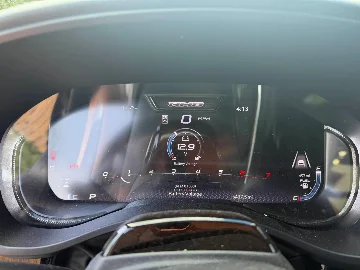
With the headlight switch in Auto, the headlights come on as they should, but the center screen doesn’t dim. I understand that the screen dims independently of the headlights being on, but it’s nearly fully dark before the screen & gauge cluster dims, and when I’m using Car Play the screen is mostly white and REALLY bright!

What can I do to get the screen to dim earlier/when it’s brighter?
 
Have you tried rolling down the little dimmer wheel beside your headlight switch? If it’s clicked up past the detent, it will stay bright like that.
 
With the headlight switch in Auto, the headlights come on as they should, but the center screen doesn’t dim. I understand that the screen dims independently of the headlights being on, but it’s nearly fully dark before the screen & gauge cluster dims, and when I’m using Car Play the screen is mostly white and REALLY bright!

What can I do to get the screen to dim earlier/when it’s brighter?

I went into the Uconnect settings and turned Off AUTO SWITCH in the screen settings. This way when you switch headlights ON or OFF screen stays the same Then you can adjust brightness manually with Uconnect settings and the lil roller knob by the headlight switch.
 
I went into the Uconnect settings and turned Off AUTO SWITCH in the screen settings. This way when you switch headlights ON or OFF screen stays the same Then you can adjust brightness manually with Uconnect settings and the lil roller knob by the headlight switch.
AH! That’s the ticket! Thanks Sarge!
@Eighty yep, makes no difference when the setting is in Auto. I’ll put it to manual.
 
Articulation. Dash Cams What did you do to your RHO Today? Exhaust Installed Vossen HXF-6 18x9 zero Offset Roar Pedal
Articulation. Dash Cams What did you do to your RHO Today? Exhaust
Back
Top