Digital Key Activation

lucky you...looks like you've got a good one. mine is f***ed...and so is my truck now apparently :mad:
I might try disconnecting the battery overnight and seeing what happens...
Walked back outside to the detached garage to try it again both with the FOB and with the digital key, and now everything works as intended. Can't explain what the heck happened before, but it's working now so that's all I care about I guess. Tried the key card with and without the FOB in my pocket, and it worked, along with inside buttons and passive entry. Weird...
 
You need to put it on the middle of the door handle on the driver side
Swept the card along the entire handle, held it at the front/middle/back...initially it would only lock. Now, after waiting about 30 minutes and trying it again, everything works as intended. Strange.
 
Walked back outside to the detached garage to try it again both with the FOB and with the digital key, and now everything works as intended. Can't explain what the heck happened before, but it's working now so that's all I care about I guess. Tried the key card with and without the FOB in my pocket, and it worked, along with inside buttons and passive entry. Weird...
I know the when I first got the truck I tried the key card and it was finicky. Since then it hasn't had issues. But for me the key card is just a backup plan. I always have my fob
 
I know the when I first got the truck I tried the key card and it was finicky. Since then it hasn't had issues. But for me the key card is just a backup plan. I always have my fob
That's exactly my plan as well...keep the card in my wallet just in case. FOB is my constant (has house key on it ;))
Maybe there's something weird with the first time use? I've seen stranger things when I worked at Stellantis...
 
Damon seems like a nice guy
Meh, Damon is the guy that first contacted me and said my truck had to go to the dealer to get the TSB. I emailed him back telling him I had already been to the dealer and the TSB failed multiple times and never heard a word from him again. That’s when I emailed Patrick and he emailed me on Monday. Now it’s Thursday and I haven’t heard from him either so I sent a follow up with him today, we’ll see, but I’m starting to think this is never going to get resolved.
 
Got my truck back today, the error the dealer was receiving after performing the TSB was resolved after the truck did a sleep cycle. thus they did these updates when told about the issue and given the TSB and marked it as resolved:
PERFORM FACTORY RRT RSU 25-237 25MY DT CADM UPDATE
PERFORM FACTORY RRT RSU 25-238 25MY DT SGW UPDATE
PERFORM FACTORY RRT RSU 25-239 25MY DT BCM UPDATE

i do not have the tile available on my app still, and the person im talking to is aware said they will get with the team involved and will get back with me tomorrow. i will say after the time at the dealership i am now able to start the digital key process on the trucks screen where as before selecting the digital key option in the truck it would just self close.

EDIT: i should note that i believe the CADM update wasnt at all related to the digital key, this was them trying to figure out why my adas system refuses to enable half the time. without any other errors being present though they just fell back on it is caused by my oversized tires(37's) ¯\_(ツ)_/¯
 
Last edited:
I emailed Patrick on Saturday and he replied on Tuesday saying he could help, etc. the Digital key tile now appears on my phone app, however, I am still not getting the option to add my phone as a key in the vehicle digital keys app. I will keep trying over the next few days.
 
Last edited:
Got the Digital Key tile in the app today. I got it to pair but it’s a bit of a cluster.

I’m in an area with WiFi but no cell service. So the app needs WiFi to work where I’m at but the truck seizes WiFi for CarPlay. After deleting the cell, Bluetooth and truck WiFi I was able to use my WiFi network to get the app to open and after many tries the key added.

The door lock and unlock feature works fine, just put the phone up to the door handle, it’ll ask you to click the side button on your iPhone twice, and it works.

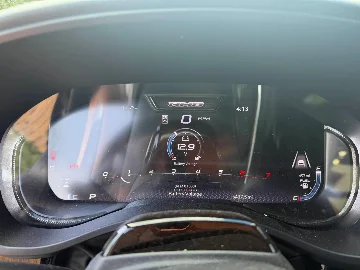
Starting the truck is another matter altogether. When I get in the vehicle if I press the Start button it flashes and the dash says Processing Digital Key and then the prompt disappears and nothing, no matter where I place the cell. The app provides no prompts when I’m inside the vehicle to start it. The app shows Digital Key as Active but when I press Manage in Wallet it shows its not connected.

I finally got it to start by pressing the side button twice with the app open but there was no prompt to do that.

For now, I don’t trust this thing at all but I guess it’s progress. Maybe user error.
 
Got the Digital Key tile in the app today. I got it to pair but it’s a bit of a cluster.

I’m in an area with WiFi but no cell service. So the app needs WiFi to work where I’m at but the truck seizes WiFi for CarPlay. After deleting the cell, Bluetooth and truck WiFi I was able to use my WiFi network to get the app to open and after many tries the key added.

The door lock and unlock feature works fine, just put the phone up to the door handle, it’ll ask you to click the side button on your iPhone twice, and it works.

Starting the truck is another matter altogether. When I get in the vehicle if I press the Start button it flashes and the dash says Processing Digital Key and then the prompt disappears and nothing, no matter where I place the cell. The app provides no prompts when I’m inside the vehicle to start it. The app shows Digital Key as Active but when I press Manage in Wallet it shows its not connected.

I finally got it to start by pressing the side button twice with the app open but there was no prompt to do that.

For now, I don’t trust this thing at all but I guess it’s progress. Maybe user error.
Interesting - what iPhone model do you have? iPhones have had UWB car key support for several generations. On my 17 pro, there is no need to touch anything. The truck wakes up within about 9-10 feet of approach and I can keep the phone in my pocket the entire time. Same for my Apple Watch without my phone. Absolutely flawless (unlike the glitchy implementation of my Palisade).
 
Not for me. iPhone 17 Pro Max. Seems like Apple Wallet is taking over. Truck does not wake up as I approach it and I have to put the cell right up to the door handle. When I do that Apple Wallet opens, then I have to log in, press the side button twice, and then hold it up again right next to the door handle for it to open.

Do you have the Digital Key in Apple Wallet? Maybe I need to delete it from Apple Wallet.
 
Not for me. iPhone 17 Pro Max. Seems like Apple Wallet is taking over. Truck does not wake up as I approach it and I have to put the cell right up to the door handle. When I do that Apple Wallet opens, then I have to log in, press the side button twice, and then hold it up again right next to the door handle for it to open.

Do you have the Digital Key in Apple Wallet? Maybe I need to delete it from Apple

I do have the key in my wallet - these are the settings. Are your settings the same?

The key must be in the Apple Wallet to function - it will not work with just the RAM app. Looks like maybe you do not have passive entry enabled?

Edit: In addition to the above, your phone uses Bluetooth LE to establish the initial connection with the truck as part of the UWB carkey function (as distinct from the Bluetooth connection to the head unit for audio/cell use). You might want to check to see if Bluetooth is enabled on your phone.

1784329697604.webp
 
Last edited:
I do have the key in my wallet - these are the settings. Are your settings the same?

The key must be in the Apple Wallet to function - it will not work with just the RAM app. Looks like maybe you do not have passive entry enabled?

Edit: In addition to the above, your phone uses Bluetooth LE to establish the initial connection with the truck as part of the UWB carkey function (as distinct from the Bluetooth connection to the head unit for audio/cell use). You might want to check to see if Bluetooth is enabled on your phone.

View attachment 33007

I have the same settings and Bluetooth is enabled.
 
Well got it set up. Initial setup was a breeze once I realized the charging pads are disabled if the door is open. Closed the door and set up went off without a hitch. Was functioning just as well as my fob. It auto saved it into Samsung wallet but I use Google wallet. Soooooo in my infinite wisdom I couldn't leave well enough alone. I deleted the key to try and get it to go to Google wallet. that wasn't happening so I figured I'd just re-add it to Samsung wallet. Let's just say the second time wasn't as smooth as the first. Ultimately got it added back into the wallet. First time took maybe 2 min. Second time about 30 min. As far as the wallet notifications saying truck is in range yes I believe it is probably creating a small parasitic draw to talk to the truck and determine it is in range but it's not going full wake up where the lights kick on. That doesn't happen until I'm about 10 feet from the truck.

Not sure how much I'll actually use it since I always have my fob but it's nice to have a back up for a backup.
 
I’m going to have to delete mine and try to start over. Truck is not waking up and I have to log in to Wallet every time even though Passive Entry is activated. Way too much trouble. And starting the truck is hit and miss.
 
You guys are luckier than I am. Mine won’t pair at all. Once I open the Digital Key app on the truck, I don’t get the option to pair and the phone app does not connect to the vehicle. I’ll try again tomorrow morning.
 
I had just messaged @RamCares about this; do we have to do anything on our end to make this feature happen? Where does the tile appear in the app?
 
Is your RHO one of a kind?  Let's find out. RAM 1500 RHO 40in LED Light Bar PRO Easy Install Off Road Running boards Stealth PPF on Lower Sections February order updates! Bed Step
Is your RHO one of a kind?  Let's find out. RAM 1500 RHO 40in LED Light Bar PRO Easy Install Off Road Running boards Stealth PPF on Lower Sections

Trending content

Back
Top